


Rock Identifier: Stone ID
4.58.47K Reviews
App Specs
- Version
- 2.4.3
- Updated On
- License
- Free
- Downloads
- 10,000,000+
- Developer
- Next Vision Limited
- Categories
- Lifestyle
- Platform
- Android, iOS
Screenshots
 Analysis by AppCompare
Have you ever been out on a hike, stumbled across a cool-looking rock, and thought, "What is this thing?" Well, welcome to the world of Rock Identifier: Stone ID. This nifty app is like having a geology expert right in your pocket. I decided to give it a whirl and see if it really lives up to the hype. Spoiler alert: it does, and then some!
That quick-photo approach is the point I keep coming back to. When I’m curious about a stone, I don’t want to begin by guessing whether it belongs in one category or another, then searching through pages of names I don’t recognize. I want a useful first lead from the thing in front of me. A camera-based identifier can make that first step less intimidating, especially for someone who enjoys finding unusual stones but has never studied geology.
I’d treat the result as a starting point, not a final verdict. Rocks can look remarkably different depending on their surface, lighting, and surroundings, and a photograph can’t show every detail that matters. If two candidates seem plausible, I would use the app’s explanation and encyclopedia to learn what distinguishes them rather than treating the first match as proof. That small habit makes the experience more rewarding: the app helps turn a guess into a question worth exploring.
Getting Started with Rock Identifier: Stone ID
First off, downloading the Rock Identifier: Stone ID app was a breeze. It's available on both Android and iOS, so no worries if you switch between platforms like me. Once installed, the app greeted me with a super clean and intuitive interface. Seriously, it's so user-friendly that even my tech-challenged uncle could navigate it with ease.
The app comes from Next Vision Limited and sits in the lifestyle category, though its appeal is really for anyone who likes noticing the natural world. It is free to install, is rated for Everyone, and has optional in-app purchases priced from $0.99 to $39.99 per item. Its current version is 2.4.1, and it has a 4.5 average from around 112,000 ratings, with more than 10 million installs. Those figures suggest a widely used tool, but what matters more in daily use is whether it makes a casual discovery easier to understand.
For a first outing, I’d keep the workflow simple: choose a stone with a visible surface, take a clear photo, and read the suggested identification before moving on. If the result seems surprising, take another picture from a different angle rather than immediately deciding the app is wrong. The second view can expose color, texture, or pattern that was hidden in the first. That is a practical way to get more value from a photo-based tool without turning a relaxed walk into a geology exam.
Exploring the Features
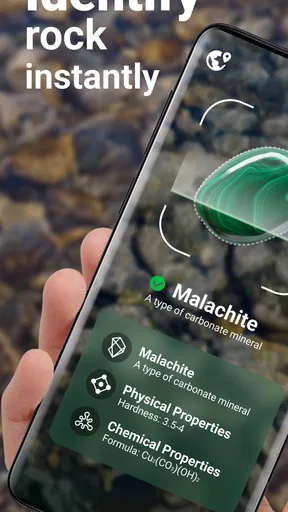
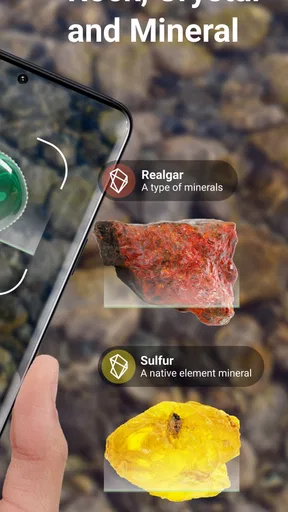
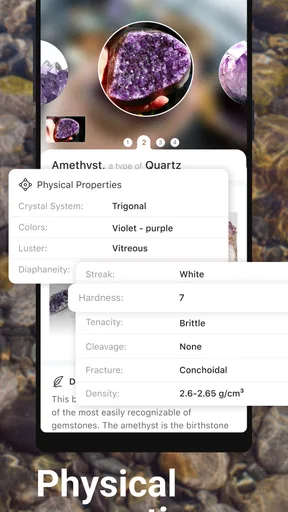
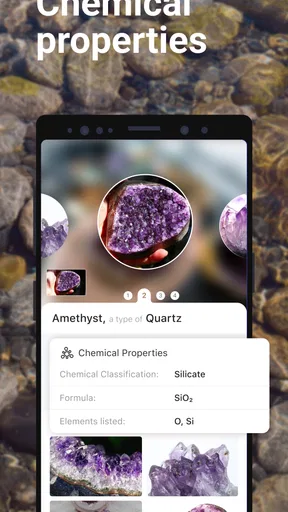
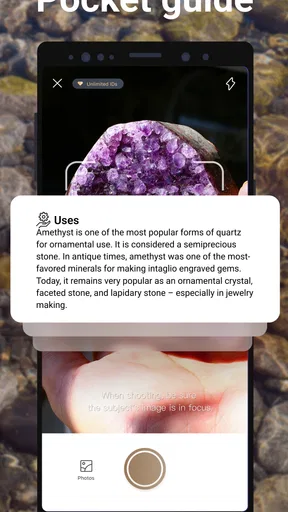
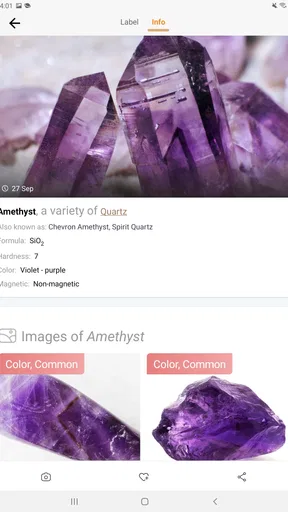
The main feature of the app is the ability to identify rocks and minerals just by taking a photo. Simple, right? All you do is point your camera at the rock in question, snap a picture, and the app does its magic. In seconds, it provides a detailed description of the rock, including its name, classification, and even some background info. Pretty cool, huh?
Worth Reading Before You Choose

EA SPORTS FC Mobile 26 Is a Bigger Football Game, but It Takes Time

Flipboard Shows What News Apps Must Do Beyond the Feed

Switching to Android Auto Means Rethinking Your Driving Routine

Google Calendar Makes a Crowded Week Easier to Manage

Ludo King Makes the Most of the Minutes Between Plans

Baby Panda World Brings Quick Play to Modern Phones, but Its Game Library Feels Busy
For a better result, I’d avoid photographing a tiny stone against a busy background if I can help it. Put the specimen on a plain surface, make sure the lighting is even, and frame the rock so its texture is easy to see. I wouldn’t alter its appearance with filters or dramatic color adjustments, because those can make a visual match less dependable. If the stone is wet, unusually dirty, or badly worn, I’d take that into account when judging the suggestion; its visible surface may not show the traits that make it recognizable.
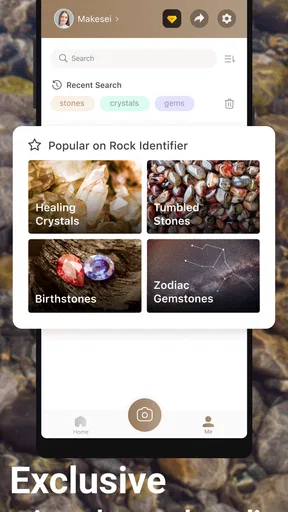
Another feature I found handy is the “Rock Encyclopedia”. It’s like having a mini geology textbook at your fingertips. You can search for rocks by name or browse through categories. Each entry is packed with information, so it’s perfect for those who want to learn more about the stones they encounter.
The encyclopedia changes the app from a one-tap answer into a way to follow curiosity. If an identification gives me a name I’ve never heard before, I can look it up and compare its description with what I actually see. I’d also use it before a walk to get familiar with a few terms, then return to it afterward when I have time to read. That split works well for people who want to enjoy being outdoors first and research later, rather than stopping for a long search every few minutes.
Why You'll Love It
One of the things I loved about the app is how it makes learning so engaging. The app doesn’t just tell you what a rock is; it invites you into a deeper understanding of geology. It's like turning every hike or beach trip into a little educational adventure. Plus, the app has a community feature where you can share your finds and see what others are discovering too.
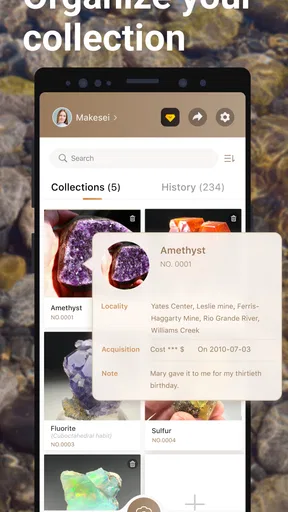
A realistic use for me would be a short stop on a coastal walk: I spot a patterned pebble, take a photo while I’m still beside it, and use the suggestion to decide what to read about later. I can save the name in my notes or take a second picture for comparison, instead of relying on memory when I get home. On a family outing, it could also give children a reason to look closely at stones they might otherwise walk past. I’d frame it as a shared guessing game, not a promise that every answer is definitive.
The community side can add another perspective when I want to share a find, but I wouldn’t use a social response as scientific confirmation. A clear image and a thoughtful description are more useful than a dramatic claim about what a stone must be. If I’m collecting examples for a personal project, I’d keep my own location notes and photos separately, since remembering where a specimen came from can be just as useful as remembering its suggested name.
Compared with the usual alternative—typing a description into a search engine or scrolling through rock photos—the camera-first flow is more convenient when I don’t know the vocabulary to describe what I’m seeing. Search is still better when I already have a likely name, want to compare several sources, or need authoritative material for study. A field guide can also be preferable when I want a dependable reference without relying on a visual match. I see this app as a friendly bridge between noticing a stone and learning enough to research it more carefully.
Imagine impressing your friends with your newfound rock knowledge. "Oh, that's just a piece of amethyst," you might casually say. Trust me, it’s a great party trick!
Areas to Improve
Now, while the app is pretty awesome, it's not without its quirks. Occasionally, the identification can be a bit off, especially with heavily weathered rocks. It’s important to take clear, well-lit pictures to get the best results. Also, some of the more obscure rocks might not be in the database yet, but the developers seem to be adding more all the time.
That uncertainty matters most when the identification could affect a decision, rather than simple curiosity. I wouldn’t rely on a photo match to determine a stone’s monetary value, make a safety judgment, or settle a serious geological question. For those situations, I’d compare the result with a trusted field guide or ask someone with relevant expertise. The app is strongest when the stakes are low: it gives a curious beginner a sensible place to start and helps make a walk more observant.
Another useful trade-off is that a quick photo is convenient, but the result depends on what the camera can actually see. A single view may hide a distinctive crystal face or show an unusual stain more prominently than the underlying material. If the first identification doesn’t fit, I’d try a second image in natural light and compare the entry’s description with the specimen rather than repeatedly taking near-identical photos. If it still feels uncertain, I’d leave the stone unidentified instead of forcing a conclusion.
Another thing to keep in mind is that the free version of the app has limited identifications per day. If you’re a hardcore rockhound, you might want to consider upgrading to the premium version for unlimited access.
Since optional purchases range from $0.99 to $39.99 per item, I’d first try the free experience during ordinary walks and see how often I actually reach its limits. Someone who identifies only a few finds now and then may have no reason to pay; a person who regularly examines many specimens should decide whether the added access is worth the cost shown in the app. I would not upgrade simply because I’m excited after one outing. A few sessions give a clearer sense of whether the restriction interrupts a habit I genuinely want to keep.
Final Thoughts
All in all, Rock Identifier: Stone ID is a gem of an app (pun intended). Whether you're a seasoned geologist or just a curious hiker, this app brings the fascinating world of rocks right to your fingertips. It’s educational, fun, and a great way to turn any outing into a learning experience. Give it a try, and who knows? You might just discover a new hobby.
I think it suits curious hikers, families, beachcombers, and beginners who want a low-pressure way to put names and context to what they find. It is less suitable for professional identification, anyone who needs a guaranteed answer, or people who expect an unlimited free tool for frequent use. The app’s value is not that a camera can replace learning; it is that a possible identification can give that learning somewhere to begin.
So, the next time you're out and about, don't leave home without it. Happy rock hunting!
Pros
- Accurate identification of various rocks
- User-friendly interface for quick learning
- Extensive database with detailed info
- Offline mode available for remote areas
- Regular updates with new features
Cons
- Requires subscription for full access
- Limited social sharing options
- In-app ads can be intrusive
- Occasional misidentification issues
- No feature for user-submitted corrections
FAQs for Rock Identifier: Stone ID
What is Rock Identifier: Stone ID and how does it work?
Rock Identifier: Stone ID is an app designed to help users identify various types of rocks and minerals using their smartphone cameras. By simply taking a photo of a rock, the app analyzes its features and provides detailed information about its composition, classification, and origin. It's a handy tool for geology enthusiasts and anyone curious about the natural world.
Is Rock Identifier: Stone ID accurate in identifying rocks and minerals?
While the app uses advanced algorithms and a comprehensive database to identify rocks and minerals, accuracy can vary depending on the quality of the photo and the uniqueness of the specimen. It is generally reliable for common rocks and minerals, but users should verify results with additional sources for more obscure finds.
Is Rock Identifier: Stone ID free to use, or does it require a subscription?
Rock Identifier: Stone ID offers a free version with basic features. However, to access more advanced tools and an ad-free experience, users may need to subscribe to a premium version. Subscription details and pricing can vary, so it's advisable to check the app store for the latest information.
Can Rock Identifier: Stone ID be used offline?
The app primarily requires an internet connection to access its database and provide accurate identifications. However, some features may be available offline, such as previously saved identifications and basic information about common rocks. For full functionality, an internet connection is recommended.
What devices are compatible with Rock Identifier: Stone ID?
Rock Identifier: Stone ID is available for both Android and iOS devices. It's compatible with most smartphones and tablets that meet the app's software requirements. Users should ensure their device's operating system is up to date for optimal performance and to avoid any compatibility issues.


